


Mimaki
Mimaki TXF300-75 DTF Printer
Mimaki TXF300-75 DTF Printer
Couldn't load pickup availability
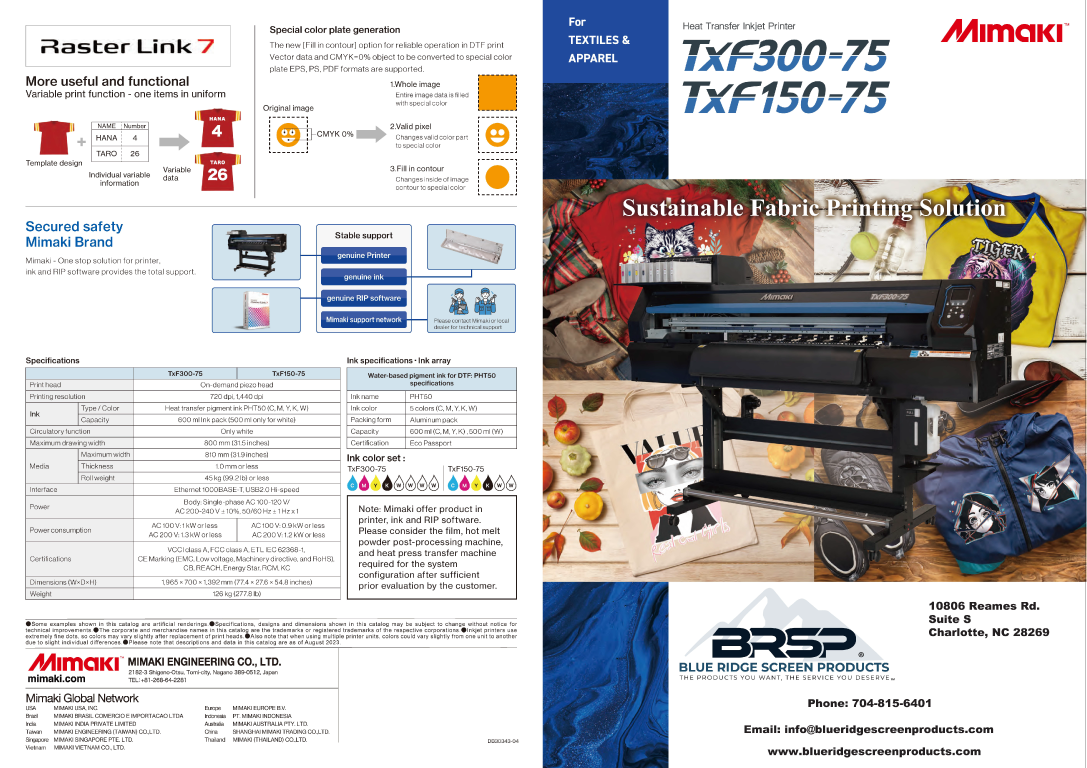
Experience unmatched speed, reliability, and print quality with the Mimaki TxF300-75 DTF Printer—a next-level solution for high-volume DTF printing. Built for demanding production environments, the TxF300-75 combines Mimaki’s precision engineering with innovative technology to deliver fast, consistent, and vibrant DTF transfers. Whether you're scaling up your garment business or upgrading to a more stable system, this printer stands out in the crowded field of DTF printers with advanced features that reduce downtime and improve efficiency.
Key Benefits:
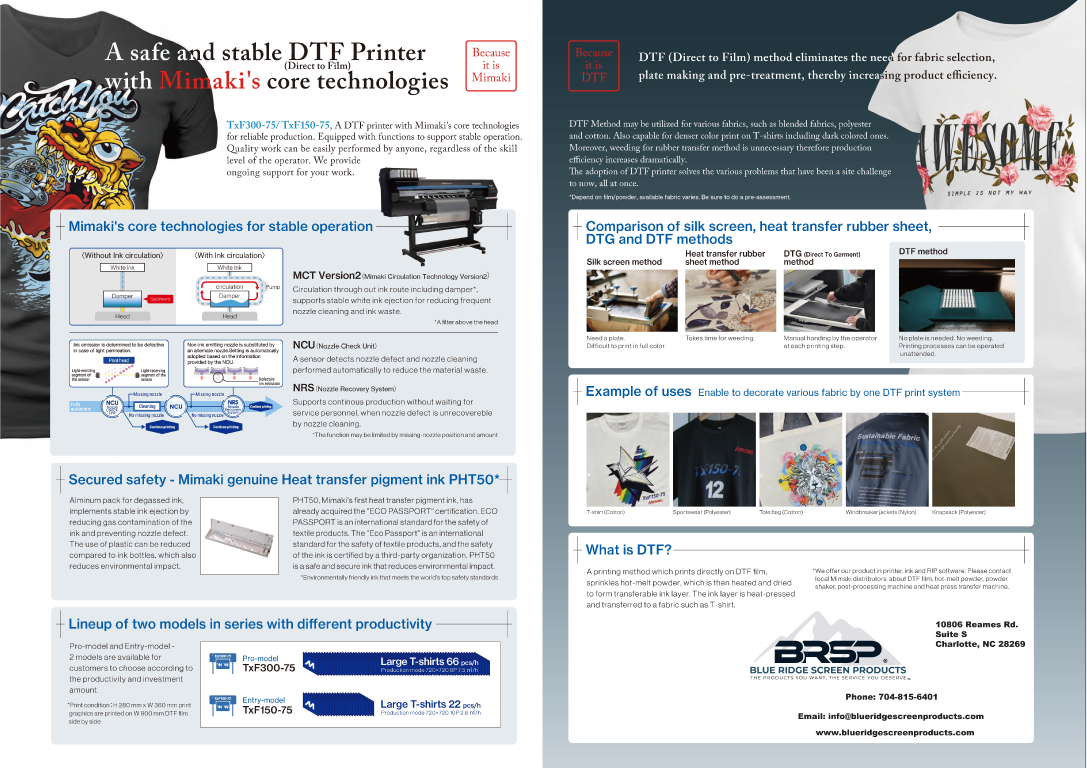
- Safe and Stable Performance: Engineered to reduce common DTF printing issues like ink clogging and banding for smooth, continuous production.
- NCU & NRS Technology: Mimaki’s Nozzle Check Unit and Nozzle Recovery System automatically detect and compensate for missing nozzles, minimizing downtime and wasted media.
- Degassed Inks: Prevents bubbles and ink flow interruptions, ensuring consistent printhead performance and sharp transfer output.
- MCTv2 White Ink Circulation System: Mimaki Circulation Technology keeps white ink flowing, preventing settling and improving print stability for opaque and vibrant prints.
- OEKO-TEX® Certified Inks: Environmentally safe and garment-friendly inks that meet global safety standards for apparel production.
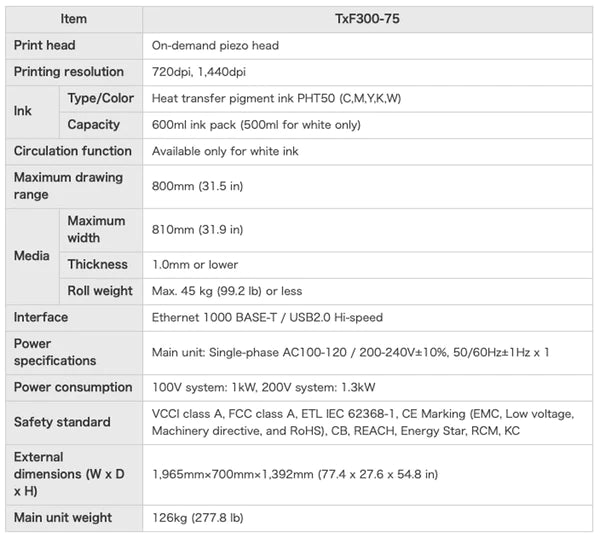
The Mimaki TxF300-75 DTF Printer is ideal for print shops, custom apparel brands, and decorators looking to expand into or scale up DTF printing. With its wide 31.5” format and high-speed output, it’s perfect for pairing with automated powder shakers and curing units in a professional production line. Simply load your film, print vivid transfers with high ink density, and apply them to a wide range of textiles. This printer is the smart choice for businesses that need industrial performance without compromising on print quality or reliability.
Included with the Mimaki TXF300-75 Printer:
- 1-Year Complete Coverage Warranty* - Includes printheads and onsite support if needed. *Head strikes are not covered under warranty. See Mimaki Warranty for details


Maintenance tips
Cap Head, Wiper, and Sponge Pad Replacement
White Damper Replacement
Frequently Asked Questions
How often does a DTF printer need maintenance?
Should I choose a DCC NeoFlex or a Mimaki DTF printer?
What is the difference between the Mimaki TxF300-75 and TxF330-800?
What is the difference between an entry-level and production DTF system?
What size DTF printer should I buy?
What fabrics can be decorated with DTF transfers?
What products are needed for a complete DTF printing system?
What is DTF printing?
What type of heat press is best for DTF transfers?
Should I choose a 24" or 32" DTF film?
What is DTF transfer powder?
What is DTF film?
-
Need Assistance with Mimaki Products?
Our team is committed to your success and satisfaction. We are passionate about helping the printing community through knowledge, education, and service. Need additional information on our products, contact us today and we will be happy to assist!